
Checkout, orders and operations. In one calm system.
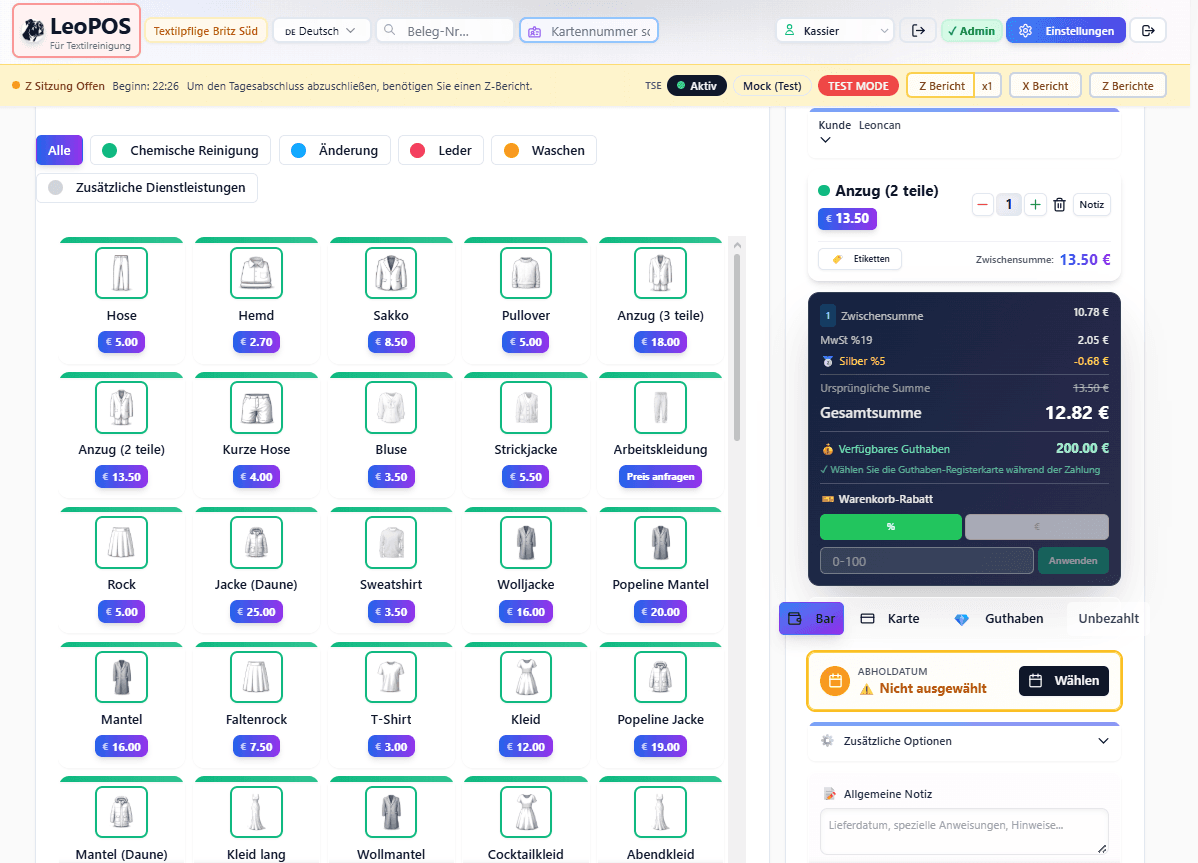
LeoPOS brings intake, checkout, order progress and daily closing together for dry cleaners, laundries and alteration businesses.
Sample data · no real customer data
A product by LeoClean Premium Textilpflege
SumUp in LeoPOS
Connect once. Take payments with confidence.
Connect your SumUp business account to your LeoPOS licence once. LeoPOS starts the payment and only completes the receipt after checking its status through the SumUp API.
- One SumUp business account per LeoPOS licence
- Shared use across the workspaces of that licence
- A fresh status check if the return to the app is interrupted
The owner connects the business's own SumUp account to the licence.
LeoPOS passes the amount to the installed SumUp app.
The receipt is only marked paid after the API check.
For the LeoPOS Android app. The SumUp app, an active merchant account, an internet connection and a SumUp-supported payment acceptance method are required. API refunds are not currently included.
One workflow instead of isolated tools
Everything between intake and collection.
LeoPOS organises operations around real work steps. Teams can see what matters next without jumping between separate systems.
Intake & checkout
Capture quickly, charge clearly
Items, services, discounts, balances and payment methods stay in one traceable receipt flow.- Flexible item catalogues
- Customer and receipt search
- Cash, card and balance
Orders & production
Every order at the right stage
Statuses, notes, labels and due dates make the next step visible to the team.- Production statuses
- Labels and scanners
- Collection and handover
Branches & staff
Responsibility stays transparent
Workspaces, roles and shifts can be organised around the way the business operates.- Multiple workspaces
- Roles and permissions
- Shift overview
TSE & reports
Close the day with a clear trail
Daily closing, cash reports and auditable events become part of the normal workflow.- Z and X reports
- Cash report
- Traceable events
Onboard safely
Training without touching the real till
New team members can practise everyday flows in a clearly marked test environment.Explore training mode→Close with confidence
A guided cash-report workflow
Physical cash, differences and closing stay separate and traceable.Explore cash reports→More than a till
LeoPOS connects operations and digital services.
LeoBridge and LeoAI extend the workflow where information moves between the branch, customer service and online experiences.01 / BRIDGE
LeoBridge
Connects selected operational data to online services and creates a controlled path between checkout and digital customer contact.02 / ASSIST
LeoAI
Helps with recurring service questions and guides customers to the right digital path.Clear answers
Common questions before the first test.
The main boundaries and requirements in one place, without hidden assumptions.
What will I see in the LeoPOS demo?
The demo shows a realistic sample business with sample data. No real customer data is used.
What is required for integrated SumUp payments?
You need the LeoPOS Android app, the installed SumUp app, an active SumUp merchant account, internet and a payment acceptance method supported by SumUp.
How is a SumUp account assigned to a LeoPOS licence?
The licence owner connects the business's own SumUp account once. It then applies to the workspaces under that same LeoPOS licence.
Are SumUp API refunds included?
No. Refunds are currently completed in the SumUp app and then documented as a void in LeoPOS.
What happens during a short internet interruption?
Selected LeoPOS workflows remain usable during short interruptions. Integrated SumUp payments and their API verification still require internet.
What does “TSE-ready” mean in LeoPOS?
LeoPOS provides TSE and daily-closing workflows inside the POS system. We clarify the setup required for your specific business during onboarding.
Why does LeoPOS say it is built in practice?
LeoPOS grew from the daily workflows of a textile-care business and is organised around intake, processing, handover and daily closing.
From textile care, for textile care